
Download OpenOffice.org – Free, Cross‑Platform Office Suite for Mac
Introduction & Overview
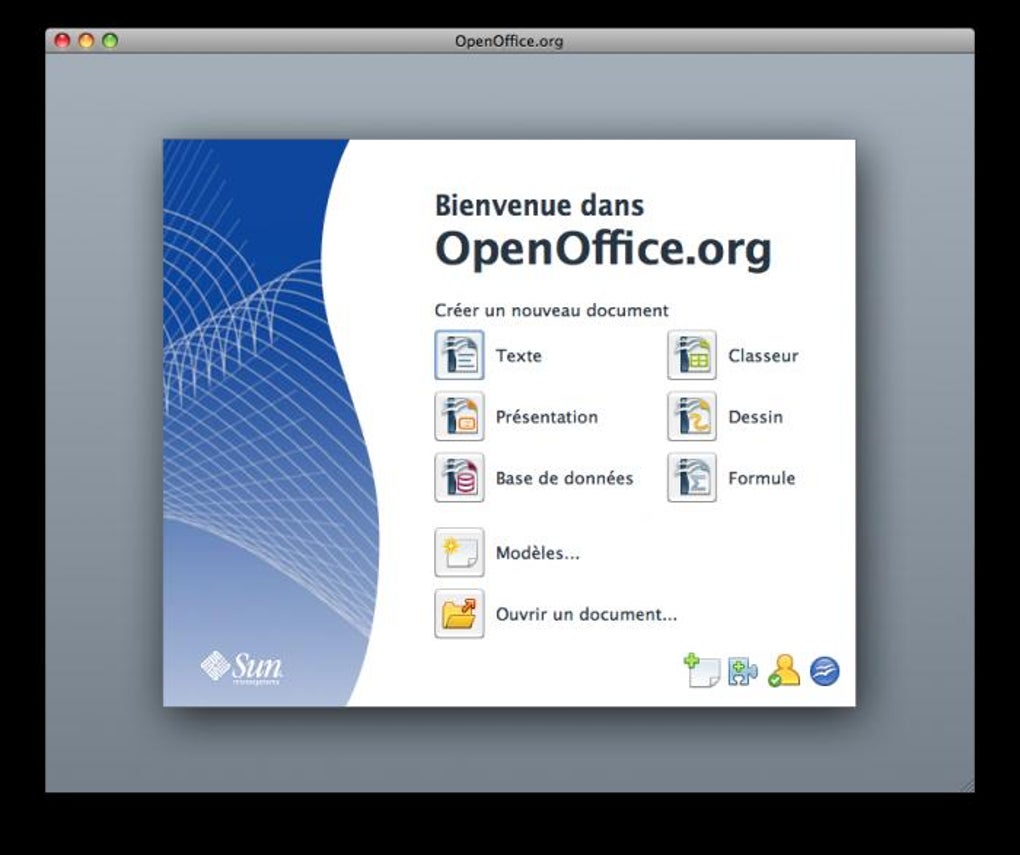
OpenOffice.org has been a cornerstone of the free‑software world for more than two decades, and its Mac edition remains a solid, cost‑free alternative to Microsoft Office. Designed for older PowerPC Macs running OS X 10.3 or later, the suite has been updated for modern Intel‑based Macs, delivering a complete office environment without the price tag. Whether you’re a student on a budget, a freelancer needing a reliable document editor, or a small business looking to reduce software expenses, OpenOffice.org offers a familiar set of tools—Write, Calc, Impress, Draw, Base, and Formula—that can open, edit, and save files created in Microsoft Word, Excel, PowerPoint, and other popular formats. While it may lack some of the polish and lightning‑fast responsiveness of Microsoft’s flagship apps, its open‑source nature ensures regular security updates, community‑driven improvements, and full multilingual support. In this review we’ll explore what makes OpenOffice.org a compelling free solution for Mac users, how it stacks up against paid alternatives, and what you need to know before you download and install it on your system.
Feature Set & Compatibility
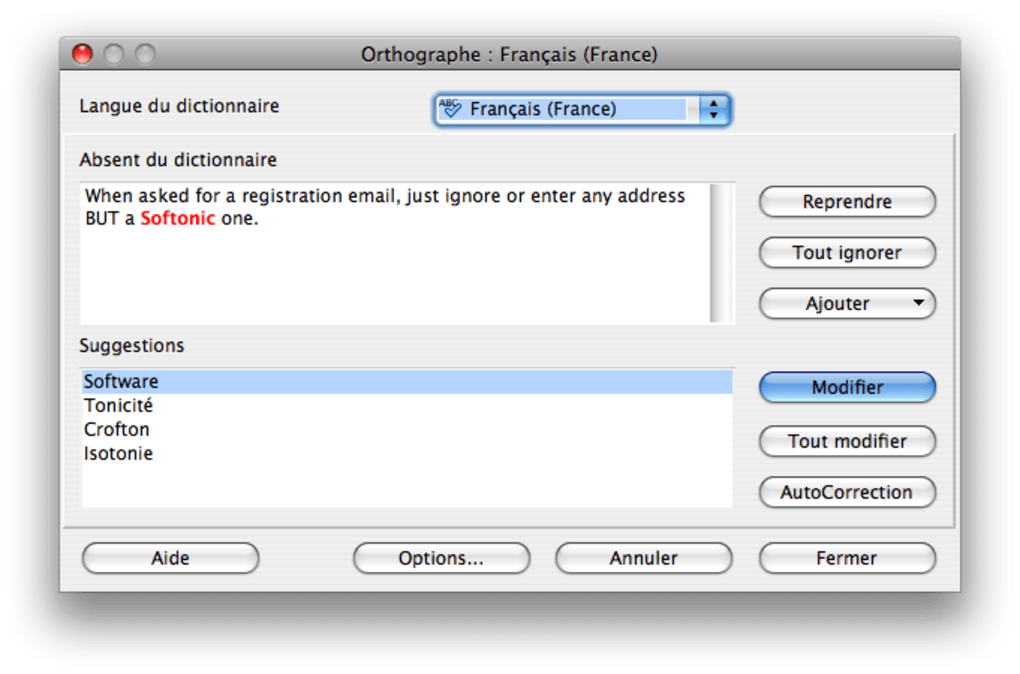
- Write: A full‑featured word processor compatible with .doc, .docx, .odt, and .rtf files, complete with spell‑check, auto‑correction, and master‑document capabilities.
- Calc: A powerful spreadsheet application that handles .xls, .xlsx, .ods, and .csv files, offering pivot tables, charting tools, and a robust formula engine.
- Impress: Presentation software that rivals PowerPoint, supporting .ppt, .pptx, and .odp formats, with slide transitions, animations, and multimedia embedding.
- Draw: Vector graphics editor ideal for creating diagrams, flowcharts, and simple illustrations, exportable to SVG, PDF, and other formats.
- Base: A database management front‑end compatible with MySQL, PostgreSQL, and other JDBC‑compliant databases, featuring form and report designers.
- Formula: A mathematical formula editor that integrates with other components, allowing you to embed complex equations in documents and spreadsheets.
- Cross‑Platform Consistency: Identical UI and feature set on macOS, Windows, and Linux, ensuring a seamless transition between devices.
- Multilingual Support: Over 40 languages built‑in, with community‑maintained extensions for additional language packs.
- Open Document Format (ODF) Native: Full support for the ISO‑standard ODF, guaranteeing long‑term accessibility of your files.
- Extensible Architecture: Hundreds of extensions and templates available through the OpenOffice.org Extension Repository.
System Compatibility: OpenOffice.org for Mac runs on OS X 10.3 (Panther) and later, including both PowerPC and Intel architectures. While the legacy PPC build is still available for very old hardware, most users will benefit from the newer Intel version, which offers improved performance and better Java integration. The suite requires Java Runtime Environment (JRE) 1.6 or higher, which is bundled with the installer for convenience. For macOS Catalina (10.15) and later, the application runs under Rosetta 2 on Apple Silicon Macs, though native ARM support is not yet provided. Minimum hardware specifications include 256 MB RAM (512 MB recommended) and 300 MB of free disk space for the core suite and additional extensions.
Installation, Usage, Pros & Cons
Step‑by‑Step Installation
- Visit the official Apache OpenOffice download page and select the macOS version that matches your processor (PowerPC or Intel).
- Click “Download” to obtain the .dmg file. The download size is approximately 130 MB.
- Open the .dmg and drag the OpenOffice.app icon into your Applications folder.
- When you launch the app for the first time, macOS may warn you about an unidentified developer. Open System Preferences → Security & Privacy, click “Open Anyway” to allow the app to run.
- The installer will prompt you to install a bundled Java Runtime Environment if it’s not already present. Accept the installation to ensure full functionality of Base and Formula.
- After installation, launch OpenOffice.org and configure your default file locations, language settings, and optional extensions via the “Tools → Options” menu.
Everyday Usage Tips
- Use the “Template Manager” (File → New → Templates) to create a library of pre‑formatted documents, saving time on repetitive tasks.
- Enable “Auto‑Recovery” in Tools → Options → Load/Save to protect against data loss during unexpected shutdowns.
- Take advantage of the “Export as PDF” feature in each component to share documents without requiring recipients to have OpenOffice installed.
- For large spreadsheets, disable “Automatic Calculation” (Tools → Cell Contents → AutoCalculate) to improve performance while you edit complex formulas.
- Explore the Extension Repository to add spell‑check dictionaries, additional templates, or language packs directly from within the suite.
Pros
- Completely free with no hidden fees or trial periods.
- Full compatibility with Microsoft Office file formats, making collaboration easy.
- Robust feature set across six core applications, covering most office needs.
- Open‑source community ensures regular security patches and feature updates.
- Multilingual interface and document support for global users.
- Lightweight installation footprint compared to Microsoft Office.
Cons
- Performance can be slower on older hardware, especially when opening large documents (Java dependency).
- Occasional formatting discrepancies when importing complex Microsoft Office files.
- User interface feels dated and may overwhelm newcomers with numerous toolbars and options.
- Lack of native macOS features such as Touch Bar support or iCloud integration.
- No built‑in real‑time collaboration tools like Microsoft 365 or Google Workspace.
FAQ & Conclusion
Is OpenOffice.org safe to download for macOS?
Yes. Download the installer directly from the official Apache OpenOffice website or trusted mirrors. The software is open‑source, regularly audited by the community, and does not contain hidden malware or adware.
Can I open a .docx file created in Microsoft Word?
OpenOffice.org’s Write component supports .docx files, though complex layouts or advanced features (e.g., SmartArt) may not render perfectly. You can always export the document back to .docx after editing.
Do I need an internet connection to use OpenOffice.org?
No. Once installed, OpenOffice.org works entirely offline. Internet is only required for downloading updates, extensions, or online help resources.
Will OpenOffice.org run on the latest macOS Ventura?
The current Intel build runs under Rosetta 2 on Apple Silicon Macs and is compatible with macOS Ventura, though performance may vary. A native ARM version is not yet released.
How do I update OpenOffice.org to the latest version?
OpenOffice.org does not feature an automatic updater. Visit the Apache OpenOffice download page periodically, download the newest .dmg, and replace the existing application in your Applications folder.
Conclusion – Is OpenOffice.org Right for You?
For Mac users seeking a reliable, fully featured office suite without a subscription fee, OpenOffice.org remains a compelling choice. Its six core applications cover everything from everyday document creation to database management, and the ability to read and write Microsoft Office formats ensures you stay compatible with colleagues and clients. While the Java‑based architecture can introduce occasional lag and the UI feels a bit dated, the trade‑off of zero cost and open‑source transparency often outweighs these drawbacks, especially for students, freelancers, and small businesses on a tight budget. If you value a stable, secure, and free office environment and are willing to tolerate a modest learning curve, download OpenOffice.org today and experience a truly independent productivity solution.







